Whether you’re a blogger, novelist, or professional writer, the right writing app can significantly boost your productivity and creativity. From Writer Journal for organizing your thoughts to the AI-powered Grammarly-AI Writing Assistant for refining your writing, there are numerous tools available to elevate your writing experience. In this article, we’ll explore the top apps for Android that cater to different writing needs.
Content
Why Choose Writing Apps for Android?
Writing apps for Android have revolutionized the way writers work. These apps provide unparalleled convenience, offering the flexibility to write anytime, anywhere, and on any device. Gone are the days when writers had to sit at a desk to get work done. Whether you’re drafting a novel, journaling, or simply making notes for a blog post, writing apps allow you to keep your ideas flowing without interruptions. These apps also support cross-device syncing, ensuring your work is always accessible, even when you’re on the move.
The Leading Writing Apps for Android
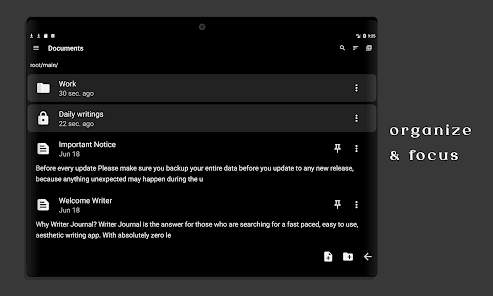
Writer Journal: The Ultimate Writing Companion
Writer Journal is a go-to app for writers who want a structured yet flexible environment for writing. Ideal for journaling, creative writing, and even blogging, it stands out for its ability to keep your ideas organized in one place.
Key Features:
Customizable Templates: Whether you’re working on a blog, a short story, or a journal entry, the app offers various templates that help streamline the writing process.
Mood and Progress Tracking: Writer Journal enables writers to track their mood and progress, offering insights into how their writing evolves over time.
Cloud Synchronization: Easily sync your content across devices to ensure you never lose an idea, no matter where you are.
Daily Writing Prompts: When inspiration is lacking, the app provides daily prompts that help stimulate creativity and jumpstart your writing.
Why it’s Great for Writers:
With its intuitive interface and creative tools, Writer Journal offers an excellent platform for maintaining a consistent writing routine. Writers can organize their work, track their progress, and find fresh ideas when they’re stuck.
Best For:
Aspiring authors, bloggers, and anyone who wants a creative space for journaling or content creation.
Grammarly-AI Writing Assistant: Enhance Your Writing with AI
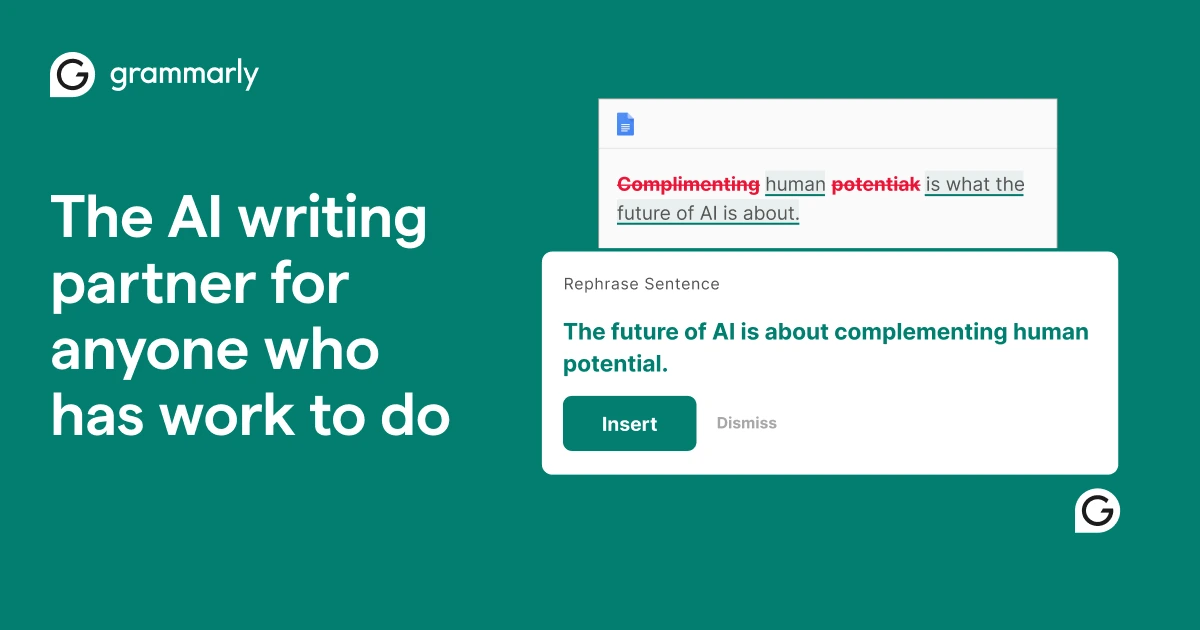
For writers looking to elevate their writing, Grammarly-AI Writing Assistant is a must-have tool. This AI-driven app offers real-time feedback on grammar, style, and tone, making it an invaluable resource for anyone aiming to improve their writing.
Key Features:
Real-time Grammar and Spell Check: Grammarly automatically detects errors in your text, offering suggestions to improve grammar and spelling.
Style and Tone Adjustments: It helps refine your writing by adjusting the tone, style, and clarity to match the context and intended audience.
Plagiarism Detection: The app scans your work for potential plagiarism, ensuring your content remains original.
Multilingual Support: Perfect for writers working in multiple languages, Grammarly supports a variety of languages, enhancing its versatility.
Why it’s Great for Writers:
Grammarly-AI Writing Assistant is indispensable for writers aiming to produce error-free and polished content. Whether you’re a professional writer or a student, it offers invaluable suggestions to refine your work.
Best For:
Professional writers, business content creators, and anyone looking to enhance their writing accuracy.
Pure Writer: A Distraction-Free Writing App
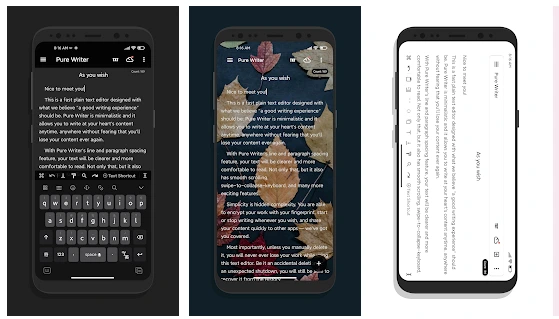
If you’re looking for an app that prioritizes focus and simplicity, Pure Writer is the perfect choice. This minimalist writing tool provides a distraction-free space for writers to immerse themselves in their work.
Key Features:
Distraction-Free Interface: The app offers a simple, clean interface that eliminates any unnecessary distractions.
Customizable Themes and Fonts: Personalize the look of your workspace with different themes and fonts, creating an atmosphere that suits your style.
Focus Mode:Pure Writer comes with a focus mode that hides everything but your writing, helping you concentrate on the task at hand.
Cloud Syncing: Keep your content safe and accessible with cloud synchronization, allowing you to work across devices without losing your progress.
Why it’s Great for Writers:
For writers who struggle with distractions, Pure Writer is a lifesaver. The minimalist design helps you focus solely on your writing, creating a conducive environment for productivity.
Best For:
Creative writers, students, or anyone who needs an environment free from distractions to write.
Selecting the Ideal Writing App for Your Needs
Choosing the right writing app depends on your specific needs and preferences. Different apps cater to different writing styles, so it’s important to evaluate what features will help you achieve your writing goals.
For Creative Writing and Journaling: If you enjoy journaling or writing creative content, Writer Journal is the ideal choice. It offers a well-rounded experience for tracking your progress and organizing your thoughts.
For Grammar and Style Improvements: Grammarly-AI Writing Assistant stands out for writers who want to refine their writing with professional-level grammar checks and style suggestions.
For Focused and Productive Writing: Pure Writer is perfect for those who need a clean, distraction-free environment to focus solely on writing.
Comparing the Leading Writing Apps for Android
Feature
Writer Journal
Grammarly-AI Writing Assistant
Pure Writer
Interface
Customizable
User-friendly, AI-powered
Minimalist, clean
Focus Mode
No
Yes (Premium)
Yes
Sync Across Devices
Yes
Yes
Yes
Plagiarism Detection
No
Yes
No
Best For
Creative writing, journaling
Grammar and style improvement
Distraction-free writing
Conclusion
In today’s digital age, finding the right writing app is crucial for boosting productivity and improving writing quality. Whether you’re journaling with Writer Journal, refining your grammar with Grammarly-AI Writing Assistant, or seeking a focused writing environment with Pure Writer, each app offers unique features tailored to specific writing needs. By selecting the app that aligns with your writing goals, you can enhance your writing experience and create more polished, compelling content. Start using these tools today and see how they can transform your writing process.
FAQs About Writing Apps for Android
What’s the best Android app for writing novels?
Writer Journal is ideal for writers who want to stay organized and track their progress when writing a novel. Its templates and daily prompts are perfect for long-form content.
Can Grammarly be used for creative writing?
Yes, Grammarly-AI Writing Assistant can be used for creative writing, ensuring that your grammar and style are polished while maintaining your unique voice.
Is Pure Writer suitable for academic writing?
While Pure Writer offers a minimalist design that’s great for creative writing, it may not provide the academic tools necessary for referencing and detailed research required in scholarly writing.
Meet Herry White, the passionate tech enthusiast and driving force behind FreeAppsForYou.com. With a deep-rooted love for all things mobile apps, Herry’s journey began in the school days when he first laid hands on a smartphone. From that moment on, he was captivated by the endless possibilities that these pocket-sized wonders offered.