The best translation apps for Android are those that combine accuracy, ease of use, and powerful features like offline translation, real-time speech recognition, and text-to-speech capabilities. With the increasing need for communication across different languages, Android users have several apps at their disposal, such as Hi Translate, Instant Translate On Screen, and U Dictionary Translator. These apps simplify communication while traveling, doing business, or learning new languages, making them essential tools for daily life.
Content
The Need for Best Translation Apps for Android
Effective communication is key in a globalized world, and language barriers can often create unnecessary challenges. Fortunately, Android users have access to numerous translation apps that make overcoming these obstacles easier. Whether you’re trying to understand a foreign language menu, communicate with a local while traveling, or study a new language, the best translation apps for Android can make the process seamless.
The ability to translate text, speech, and even images instantly allows for better travel experiences, more efficient business meetings, and a smoother learning curve when mastering a new language. These apps offer more than just word-for-word translations; they incorporate features such as real-time translation, voice-to-text, offline capabilities, and even grammar correction, making them essential in any multilingual scenario.
Hi Translate: Real-Time Translations on the Go
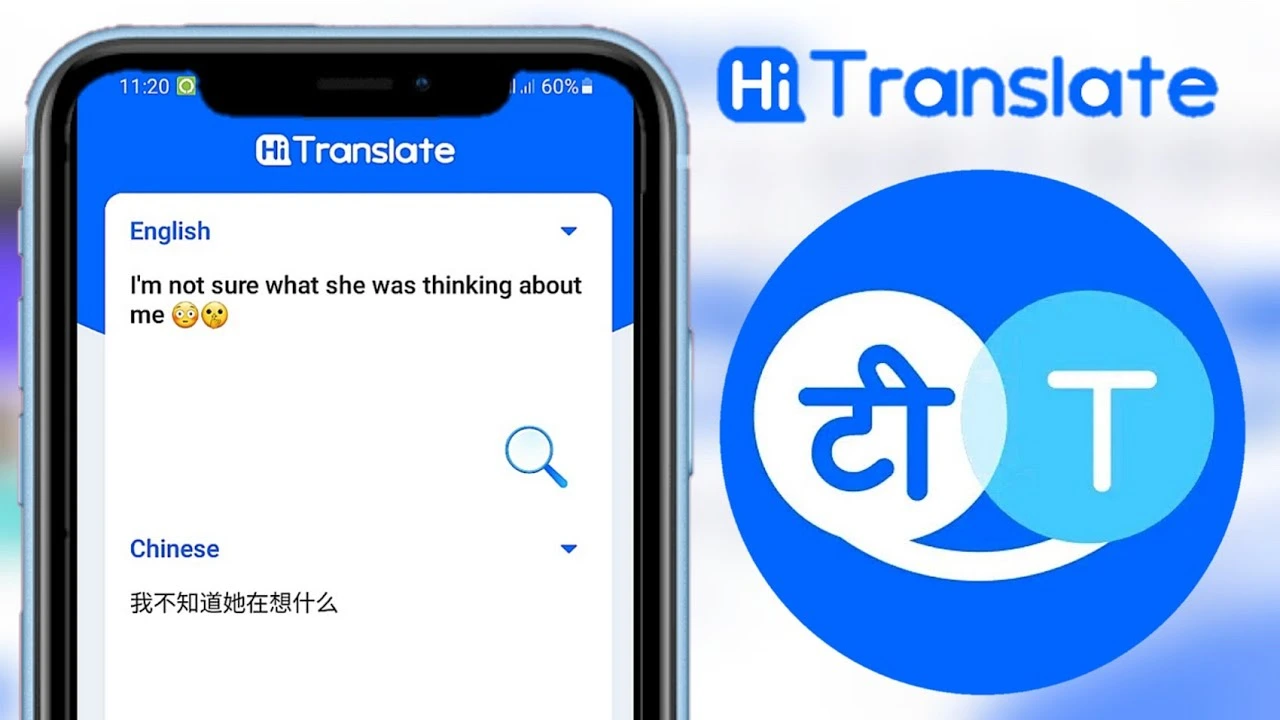
One of the most popular and highly-rated translation apps for Android is Hi Translate. Known for its user-friendly interface and wide language support, this app makes translation easy and convenient.
Features of Hi Translate:
Multi-Language Support: Hi Translate supports over 100 languages, making it versatile enough for travelers, business professionals, and language learners.
Voice and Text Translation: You can translate both text and speech in real time, allowing for smoother conversations with speakers of other languages.
Offline Functionality: A standout feature, Hi Translate lets you download languages for offline use, which is especially useful in areas with limited internet access.
Image Translation: Simply take a photo of a sign or document, and the app will translate the text in the image.
Pros and Cons of Hi Translate:
Pros: Quick and accurate translations, easy to use, and great for on-the-go translation needs.
Cons: Occasionally, the translations may not be perfect, especially with complex phrases or regional dialects.
Best Use Cases for Hi Translate:
Ideal for travelers who need a reliable translation tool for navigating foreign countries.
Great for business professionals requiring real-time translation during meetings or conferences.
Perfect for casual users who want a quick and efficient translation app.
Why Hi Translate Stands Out: The app is especially popular for its simplicity and versatility. Whether you’re in a foreign country or navigating a new language, Hi Translate provides everything you need in a straightforward package.
Instant Translate On Screen: Translate Without Interrupting Your Workflow
For users who often find themselves multitasking on their Android devices, Instant Translate On Screen is a game-changer. This app enables you to translate text from any screen in real-time without needing to switch between different apps.
Features of Instant Translate On Screen:
Real-Time Text Translation: Translates text instantly while browsing other apps, reading social media posts, or shopping online.
Overlay Translation: The app uses an overlay feature to display translations on top of whatever you’re doing, ensuring you don’t lose context.
Support for Multiple Languages: Like other top translation apps, it supports a wide array of languages for international communication.
Minimal Interruption: This feature allows for faster translations without halting your activities.
Pros and Cons of Instant Translate On Screen:
Pros: Excellent for users who need real-time translations while browsing or working on their devices.
Cons: The app may not be suitable for more complex translation tasks that require in-depth context.
Best Use Cases for Instant Translate On Screen:
Ideal for translating text while reading articles, social media posts, or foreign-language websites.
Useful for quick translations when chatting with friends or colleagues in different languages.
A must-have tool for frequent online shoppers looking to translate product descriptions or reviews instantly.
Why Instant Translate On Screen is Perfect for Multitaskers: This app is designed for users who need instant translations while staying productive. Its ability to translate text seamlessly as you browse or chat makes it perfect for fast-paced, multitasking environments.
U Dictionary Translator: A Complete Language Learning Companion
For Android users looking for a comprehensive translation and learning tool, U Dictionary Translator stands out. It offers more than just basic translation features by providing tools that cater to those who are looking to learn and master a new language.
Features of U Dictionary Translator:
Text, Voice, and Image Translation: Like other translation apps, it supports text and voice translations. It also includes image translation capabilities to translate text from photos.
Offline Mode: Allows you to use the app without an internet connection, ensuring you can translate whenever needed.
Grammar Tips and Vocabulary Building: Offers learning tools that help improve your grammar and expand your vocabulary.
Interactive Learning: Language games and quizzes make learning fun and interactive.
Pros and Cons of U Dictionary Translator:
Pros: Offers a wide range of features, from translations to language learning tools, making it ideal for both casual and serious learners.
Cons: Some premium features require in-app purchases.
Best Use Cases for U Dictionary Translator:
Great for those serious about learning a new language, thanks to its grammar tips and vocabulary builder.
Useful for travelers and business professionals who need both translation and learning resources.
Perfect for casual users who want a flexible, all-in-one translation tool.
Why U Dictionary Translator is Ideal for Language Enthusiasts: Its additional learning features set U Dictionary Translator apart from other apps. If you’re serious about language acquisition, this app provides tools to both translate and enhance your skills.
Comparison: A Quick Overview of the Best Translation Apps for Android
Feature
Hi Translate
Instant Translate On Screen
U Dictionary Translator
Text Translation
Yes
Yes
Yes
Voice Translation
Yes
No
Yes
Image Translation
Yes
No
Yes
Offline Mode
Yes
No
Yes
Learning Tools
No
No
Yes
Multilingual Support
100+ Languages
Multiple languages
108 Languages
Choosing the Best Translation Apps for Android for You
Selecting the best translation app depends on your specific needs. If you’re a frequent traveler, Hi Translate offers a user-friendly interface and offline capabilities. For those who prefer seamless translation while browsing, Instant Translate On Screen is ideal. U Dictionary Translator, on the other hand, is perfect for those looking for a complete language learning experience.
To make the right choice, consider:
The languages you need: Ensure the app supports your preferred languages.
Offline capabilities: If you often travel to areas without reliable internet, offline translation features are a must.
Additional learning tools: For serious learners, apps that offer grammar tips and vocabulary building will be invaluable.
Maximizing Your Best Translation Apps for Android Potential
To fully benefit from your chosen translation app, use it in real-life scenarios. For instance:
Practice translation: Translate everyday items such as menus, signs, or street names to become familiar with foreign terms.
Voice translation: Use the voice-to-text function to improve conversational skills or assist in real-time communication.
Offline mode: Make sure to download language packs for use in remote locations where internet access is unavailable.
Conclusion
The best translation apps for Android can make a significant difference in your ability to communicate across language barriers. Whether you choose Hi Translate, Instant Translate On Screen, or U Dictionary Translator, each app offers unique features that cater to different user needs. By evaluating your priorities—whether it’s real-time translation, language learning, or seamless browsing integration—you can select the perfect app to enhance your communication experience. These translation tools not only help you navigate the complexities of language but also enrich your ability to connect with people from around the world.
Meet Herry White, the passionate tech enthusiast and driving force behind FreeAppsForYou.com. With a deep-rooted love for all things mobile apps, Herry’s journey began in the school days when he first laid hands on a smartphone. From that moment on, he was captivated by the endless possibilities that these pocket-sized wonders offered.