The Ultimate Guide to Cash App Business Accounts: Features, Benefits, and How to Get Started
Are you looking for a flexible and efficient way to manage your business payments? A Cash App business account might be the perfect solution for you! With its user-friendly interface and a variety of features tailored for businesses, Cash App has become increasingly popular among small business owners and freelancers. This comprehensive guide will delve into everything you need to know about Cash App business accounts, including setup, features, benefits, and comparisons with other payment solutions.

Content
Understanding Cash App Business Accounts
A Cash App business account is a specialized version of Cash App designed specifically for enterprises to accept payments, manage transactions, and create invoices. Unlike personal accounts, business accounts allow you to receive payments from customers and manage your financial operations more effectively.
Key Differences between Personal and Business Accounts
| Feature | Personal Account | Business Account |
| Payment Processing Fees | Free for personal transfers | 2.75% fee per transaction |
| Invoicing Capabilities | Not available | Available |
| Cash App Card | Personal use only | Business use with cash back |
Steps to Set Up a Cash App Business Account
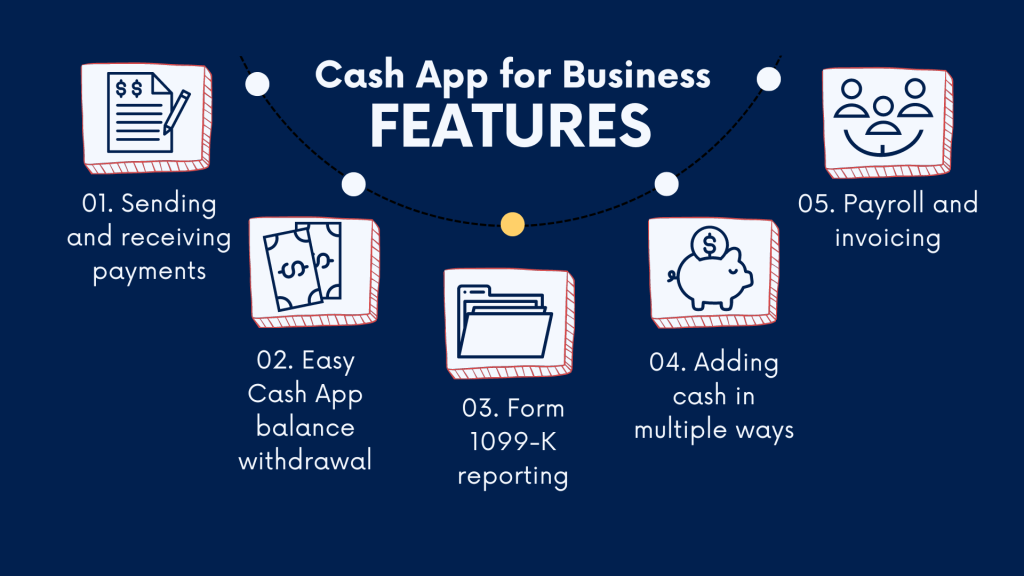
Setting up a Cash App business account is a straightforward process. Here’s how you can do it:
- Download the Cash App from the App Store or Google Play.
- Create an account by entering your email or phone number.
- Choose the “Business” option during the setup process.
- Link your bank account to facilitate easy transfers.
- Verify your identity by providing necessary documentation, such as your EIN or business license.
Requirements for a Business Account
To successfully establish a Cash App business account, you will need:
- A valid EIN (Employer Identification Number) or SSN.
- A business license (if applicable).
- Basic information about your business (name, address).
Addressing Common Setup Issues
- Account Verification Problems: Ensure that your documents are clear and that they match the details you provided when setting up your Cash App account.
- Linking Bank Accounts: Verify that the bank account is under the same name as your business account to avoid any linking issues.
Features of Cash App Business Accounts

Payment Processing
Cash App allows businesses to accept various payment methods, including credit and debit cards, making it convenient for customers to complete their transactions.
Invoicing Capabilities
A Cash App business account enables you to create and send invoices directly to your customers, streamlining the billing process and ensuring timely payments.
Cash App Card for Businesses
The Cash App business card can be utilized for business-related purchases and offers cash back on eligible transactions, enhancing your overall savings.
Additional Tools and Integrations
Cash App can seamlessly integrate with accounting software like QuickBooks, simplifying your financial tracking and reporting processes.
Advantages of Using Cash App for Business
Competitive Fees
One of the standout aspects of Cash App is its low transaction fees, especially when compared to traditional banking fees.
| Service | Cash App Fees | PayPal Fees |
| Transaction Fees | 2.75% per transaction | 2.9% + $0.30 per transaction |
| Monthly Fees | None | None |
User-Friendly Interface
Cash App’s intuitive design allows both business owners and customers to navigate the platform easily, ensuring a smooth transaction experience.
Instant Transfer Features
Cash App offers instant fund transfers to your linked bank account, granting you immediate access to your earnings.
Robust Security Features
Cash App employs various security measures, including encryption and two-factor authentication, to ensure that your business transactions are protected.
Comparing Cash App with Other Payment Solutions
Cash App vs. PayPal
While both Cash App and PayPal offer similar features, Cash App generally has lower fees for business transactions, making it a cost-effective choice for many businesses.
Cash App vs. Venmo for Business
Venmo tends to focus more on personal transactions, whereas Cash App provides features specifically designed for businesses, such as invoicing and customer management capabilities.
Exploring Other Payment Apps
Other alternatives like Square and Stripe offer unique features that may cater to different business needs, including more extensive reporting and analysis tools.
Maximizing Your Cash App Business Account
Best Practices for Transaction Management
Regularly monitor your transaction history and leverage the invoicing feature to ensure timely payments from customers.
Strategies for Growth
Utilize marketing strategies that encourage customers to use Cash App for payments, such as offering discounts or incentives for using the app.
Engaging with Customers
Encourage feedback and reviews from customers who use Cash App, and share positive testimonials to attract new users and bolster your business reputation.
Conclusion
In summary, a Cash App business account serves as a versatile tool for managing your business payments efficiently. With its low fees, user-friendly interface, and robust security measures, Cash App can assist you in streamlining your operations. Consider setting up a Cash App business account today to take advantage of its many benefits and enhance your business’s financial management.
Common Inquiries Regarding Cash App Business Accounts
Is Cash App Safe for Businesses?
Indeed, Cash App incorporates robust security features designed to protect user transactions, making it a reliable option for businesses.
Can Freelancers Utilize Cash App?
Absolutely! Freelancers can set up a Cash App business account to efficiently receive payments from their clients.
What Limitations Exist for Cash App Business Accounts?
Cash App does have certain limitations, such as caps on transaction amounts and fees associated with instant transfers.
How to Transfer Funds from Cash App Business Account?
To transfer funds, select the “Cash Out” option on your account home screen and choose the amount you wish to transfer.

Meet Herry White, the passionate tech enthusiast and driving force behind FreeAppsForYou.com. With a deep-rooted love for all things mobile apps, Herry’s journey began in the school days when he first laid hands on a smartphone. From that moment on, he was captivated by the endless possibilities that these pocket-sized wonders offered.